min_value / max_value
Can be used to limit the range of a property.
Can be applied to int, float, Vector2, Vector3, Vector4, Vector2i, Vector3i and Vector4i.
A vector is clamped component-wise.
Both bounds are expressions, so a bound accepts a literal, another property, or a method call, and a bounded property re-clamps when its bound changes:
@tool # required for method calls in attributes
extends Node3D

@export
var min_hp: int = 0
@export
var max_hp: int = 100
@export
var min_ratio: float = 0.25
@export
var max_ratio: float = 0.75

@export_custom(PROPERTY_HINT_NONE, "min_value:min_hp; max_value:max_hp")
var hp: int = 50
@export_custom(PROPERTY_HINT_NONE, "min_value:get_min_ratio(); max_value:get_max_ratio()")
var ratio: float = 0.5
@export_custom(PROPERTY_HINT_NONE, "min_value:0; max_value:1")
var int_min_0_max_1: int = 0
@export_custom(PROPERTY_HINT_NONE, "min_value:0; max_value:1")
var vector3_min_0_max_1: Vector3 = Vector3.ONE * 0.5


func get_min_ratio() -> float:
    return self.min_ratio


func get_max_ratio() -> float:
    return self.max_ratio
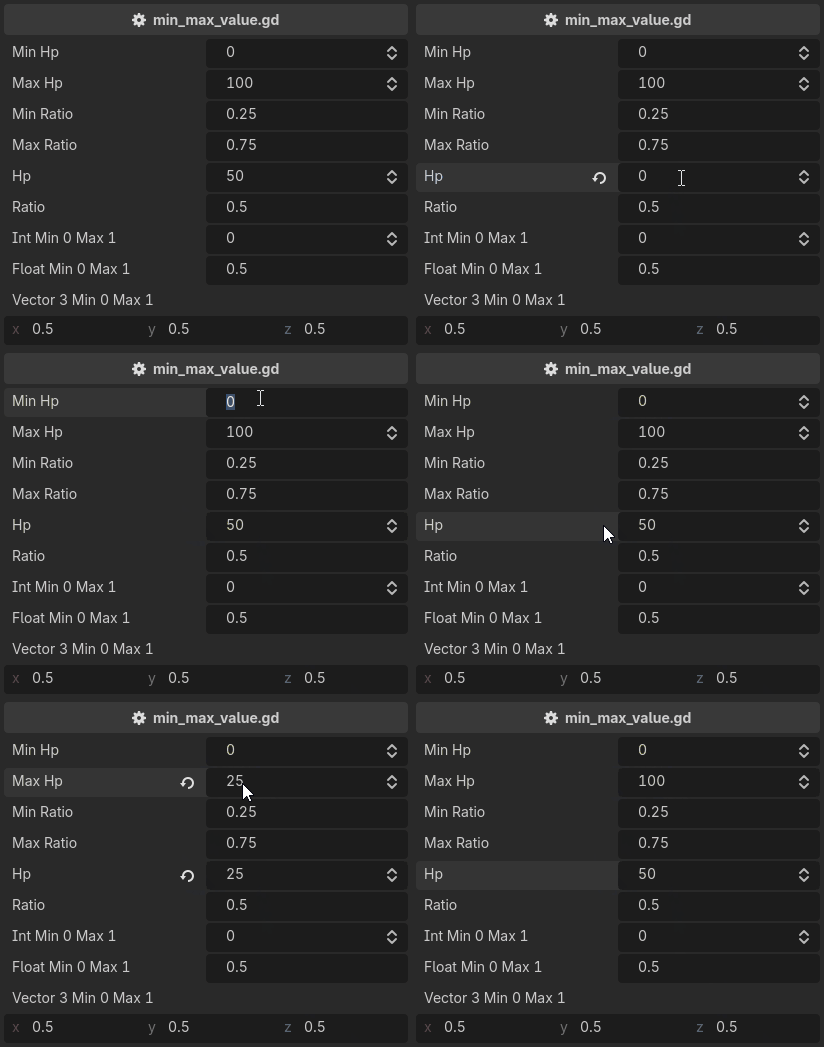
The two are one attribute mirrored, and either can be used on its own.
Note
A correction is written into the value, so it enters the undo history. A drag leaves one undo entry, and undoing it restores what a property held before the drag started, not the value it was clamped to mid-drag.
Note
A contradictory pair such as min_value:10; max_value:5 is not reported.
Validators run in written order, so the last one wins, visibly.
For a bound that reports rather than corrects, use require.